Optimizing your home security through sophisticated automation is not only achievable but also remarkably cost-effective with the right tools. The accompanying video offers an excellent primer on integrating various components into a cohesive Home Assistant security system, demonstrating how a DIY approach can surpass traditional monitoring services in both capability and value. This detailed guide expands upon those concepts, providing expert insights into configuring a robust, self-monitored smart home security infrastructure.
Enhancing Your Home Assistant Security Setup with Existing Infrastructure
Harnessing the power of Home Assistant often begins by consolidating your current security investments. Many homeowners possess legacy alarm systems, which, despite their age, contain valuable sensors. Integrating these traditional alarm panels into Home Assistant provides a foundational layer for your modern smart home security platform, allowing existing motion detectors and door sensors to contribute to a unified ecosystem.
1. **Bridging Legacy Systems:** Consider devices like an Envisalink module or specific alarm panel integrators. These network add-ons typically facilitate communication between your alarm panel and Home Assistant, effectively modernizing your entire system without significant hardware replacement. Imagine transforming a decades-old wired sensor network into an intelligent, programmable asset for granular control.
2. **Consolidating Sensor Data:** Once integrated, all traditional sensors, from window contacts to glass break detectors, feed data directly into Home Assistant. This centralized data stream empowers you to create complex automations, reacting to specific sensor triggers with tailored responses. Furthermore, receiving direct mobile notifications for critical events like unauthorized entry significantly enhances responsiveness, potentially leading to substantial savings by eliminating monthly monitoring fees.
Integrating a Comprehensive Sensor Network
Beyond retrofitting existing alarms, a truly robust smart home security system leverages a diverse array of modern sensors. These devices form the “fabric” of your monitoring system, providing rich contextual data far beyond simple alarm triggers. They enable proactive security measures and reduce false positives, which is crucial for maintaining confidence in your system.
1. **Perimeter and Interior Monitoring:** Deploy various indoor and outdoor motion sensors, contact sensors on gates, garage doors, and even specific cabinets or drawers. These devices offer granular insight into activity around and within your property. For example, a contact sensor on a backyard gate can trigger an immediate alert if breached, enabling swift investigation.
2. **Environmental and Presence Detection:** Incorporate presence sensors to understand occupancy, leak detection sensors for potential water damage, and, critically, smoke and CO2 detectors. While not always alarm-triggering, these sensors provide vital information that can be cross-referenced during an event. Imagine if an indoor motion sensor triggers; checking a presence sensor might confirm an actual intruder versus a pet.
Advanced Camera Systems and AI-Powered Monitoring
No modern security strategy is complete without sophisticated camera surveillance, and platforms like Unifi Protect offer powerful capabilities without recurring fees. The integration of such camera systems with Home Assistant unlocks intelligent, context-aware monitoring that significantly enhances your overall security posture.
1. **AI-Driven Detection and Custom Zones:** Modern security cameras, especially those with integrated AI, can differentiate between people, vehicles, animals, and packages. This capability allows for highly specific automation triggers. For instance, you can configure your porch camera to notify you only when a person enters a designated zone on your porch, ignoring passing cars or wandering wildlife.
2. **Event-Triggered Visual Verification:** When a sensor or camera triggers an event, Home Assistant can instantly display relevant camera feeds on designated screens or send snapshots to your mobile device. This immediate visual verification is critical; it allows you to quickly distinguish between a genuine threat and a harmless raccoon, preventing unnecessary stress or wasted police dispatches.
Implementing Dynamic Security Modes and Automations
A truly intelligent Home Assistant security system adapts to your lifestyle through various security modes. These configurable states dictate how your system behaves, ensuring optimal protection and convenience whether you are home, away, or hosting guests.
1. **Configurable Security States:** Establish modes such as ‘Home,’ ‘Away,’ ‘Vacation,’ and a practical ‘Override’ or ‘Party’ mode. Each mode defines specific sensor sensitivities, notification protocols, and automation triggers. For example, in ‘Away’ mode, interior motion sensors might trigger immediate alerts, while in ‘Home’ mode, they might be disarmed or only trigger soft notifications.
2. **Presence-Based Activation and Disarmament:** Leverage presence detection—through mobile phone tracking, WiFi network presence, or dedicated presence sensors—to automatically arm or disarm your system. Imagine returning home: your smart home detects your arrival, disarms the alarm, turns on lights, and even starts playing music, all before you even open the door. This seamless transition enhances both security and user experience.
3. **Beyond Security: The ‘Party’ Mode:** The ‘Party’ or ‘Override’ mode serves a crucial function by temporarily disabling non-critical automations that might disrupt social gatherings. For instance, imagine a smart kitchen light turning off because no one has moved for 30 minutes, leaving guests in the dark. This mode ensures comfort and convenience, highlighting the flexibility of Home Assistant beyond just security.
Strategic Exterior Lighting as a Deterrent
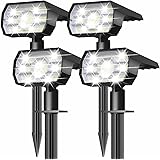
Outdoor lighting is a cornerstone of effective physical security, transforming your property into a less appealing target for potential intruders. Integrating this with Home Assistant allows for dynamic and intelligent lighting schemes that actively deter unwanted visitors and improve camera efficacy.
1. **Scheduled and Motion-Activated Illumination:** Program your exterior lights to activate at sundown, initially at 100% brightness. After a predetermined time, perhaps 11:00 p.m., they can dim to a lower intensity (e.g., 20%) to conserve energy while maintaining a deterrent presence. If any outdoor camera detects motion—even a car on the street—these lights can instantly jump back to full brightness, startling potential intruders and providing your cameras with optimal viewing conditions. This proactive measure signals detection and improves visual capture.
2. **Backyard Security Zones:** Extend this lighting strategy to less visible areas, such as backyards and side pathways. If a backyard camera detects a person or a gate sensor is tripped, all associated backyard lights should immediately illuminate. This not only deters but also aids homeowners in navigating their property safely at night, for example, when taking out the trash.
Developing a Robust Notification and Response System
Effective smart home security hinges on a reliable notification system that provides timely, actionable intelligence and clear response options. This capability allows for informed decision-making during critical moments.
1. **Tiered Notification Protocols:** Customize notifications based on the security mode and event severity. In ‘Home’ mode, a motion detection on the porch might trigger a soft notification to a bedside tablet, simultaneously turning on lights in relevant rooms to deter lurking individuals. For more serious events like smoke or CO2 detection, a full-house alarm, flashing lights, and prominent camera feeds on all available screens should activate.
2. **Contextual Display and Panic Options:** Imagine a bedside tablet instantly displaying live camera feeds from the triggered zones, alongside the status of all relevant sensors. This immediate visual and contextual information allows for rapid threat assessment. Furthermore, integrating a “panic button” that sends emergency SMS messages to trusted neighbors with instructions to call 911 offers an extreme but vital layer of protection in dire circumstances, assuming prior arrangement and consent from those neighbors.
3. **Reducing False Positives:** The ongoing refinement of your automation is critical. If random false positives occur, consider adding conditions to your automations (e.g., requiring two sensors to trigger within a specific timeframe) or deploying additional sensors to provide more conclusive evidence. This iterative process ensures your Home Assistant security system remains reliable and trustworthy.
Decoding Your 2024 Smart Home Security Hacks: Q&A
What is Home Assistant security?
Home Assistant security is a do-it-yourself (DIY) approach to creating a powerful, self-monitored smart home security system. It allows you to integrate various devices and sensors to build a comprehensive system without monthly monitoring fees.
Can I use my old security system’s sensors with Home Assistant?
Yes, you can often integrate legacy alarm systems and their existing sensors, like motion and door sensors, into Home Assistant. This usually requires network add-ons or specific integrators to bridge communication between your old panel and the new smart system.
What kind of sensors can I use in a smart home security system?
You can use a wide range of sensors, including motion sensors for indoor and outdoor areas, contact sensors for doors and windows, and environmental sensors for smoke, CO2, or water leaks. These provide detailed information about activity and conditions in your home.
How do smart cameras help with Home Assistant security?
Smart cameras with AI can differentiate between people, animals, and vehicles, allowing for more precise alerts. When an event occurs, Home Assistant can show live camera feeds or snapshots for immediate visual verification, helping you quickly assess a situation.
Can my Home Assistant security system adjust its behavior?
Yes, an intelligent Home Assistant system can adapt to your lifestyle using configurable security modes like ‘Home,’ ‘Away,’ or ‘Vacation.’ These modes determine how sensors behave, what notifications are sent, and how automations respond in different situations.