Building a truly smart home, one that seamlessly integrates into your life without causing frustration or becoming a chore, requires thoughtful planning. As discussed in the accompanying video, the journey from a collection of gadgets to a cohesive, intelligent living space revolves around three fundamental goals: invisibility, high spouse (and family) approval, and long-term reliability. Achieving these objectives transforms your *smart home* from a technological novelty into a genuine enhancement of daily living, freeing up time and mental energy for what truly matters.
## The Foundation of an Ideal Smart Home Experience
Imagine a home where technology works so effortlessly in the background that you barely notice its presence – that’s the essence of an **invisible smart home**. Lights adjust to your needs, climate control optimizes itself, and security systems are always vigilant, all without explicit commands or constant interaction. This seamless operation is not just about convenience; it’s about creating an intuitive environment that anticipates your needs, ensuring technology serves you, rather than the other way around.
Equally crucial is achieving high spouse approval, a metric often overlooked in the quest for advanced *home automation*. A smart home should simplify life for everyone, not just the tech enthusiast. This means systems must be easy to use, predictable, and, crucially, never annoying. Imagine if your lights turned on unexpectedly in the middle of the night, or if guests struggled to turn off a fan. Such scenarios quickly erode acceptance, highlighting the need for systems that are both powerful and user-friendly for every occupant.
Finally, long-term reliability is paramount for any successful *smart home system*. The initial investment in smart devices and automation platforms should translate into years of consistent, trouble-free operation. Nobody wants a system that constantly breaks down, demanding frequent troubleshooting or expensive replacements. A reliable setup ensures that the magic of automation continues uninterrupted, providing peace of mind and demonstrating the enduring value of your *smart home* investment.
## Mastering Smart Home Control Beyond Voice Commands
When first venturing into *smart home* technology, it’s natural to envision a future where voice commands orchestrate every action. However, as the video expertly points out, relying solely on voice assistants for comprehensive control can quickly lead to frustration. Remembering specific phrases for every task becomes cumbersome, making the system feel clunky and anything but invisible. Imagine asking your living room lights to dim, only to forget the exact command and resort to fumbling with a physical switch—it defeats the purpose of an intelligent living space. Voice commands are certainly useful for specific, high-frequency actions, such as playing music or setting timers, but they are rarely the ideal sole interface for your entire **smart home**.
Individual *smart home* apps present another common pitfall for new users. While each device might come with its own dedicated application, managing a multitude of apps for different brands can be overwhelming. Imagine having to open separate apps for your lights, thermostat, and door locks every time you want to make an adjustment. This fragmented approach contradicts the goal of seamless integration and user-friendliness. These apps are best reserved for initial setup or occasional fine-tuning of device settings, rather than day-to-day control.
The more effective solution lies in a centralized dashboard, which acts as a single pane of glass for all your *smart devices*. This unified interface, accessible from your phone or a shared tablet, allows you to monitor and control everything from one convenient location. Imagine opening one app and seeing the status of all your lights, checking your thermostat, and locking your doors, all organized intuitively. This approach significantly enhances the usability for everyone in the household, fostering higher family approval and reducing the learning curve often associated with advanced technology.
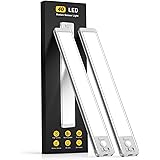
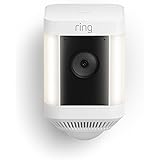
However, the truly ideal method for controlling your *smart home* involves sensors, enabling the system to react proactively to your environment and activities. Sensors allow your home to adapt intelligently without direct input from you or your family members, embodying the ‘invisible’ goal. Imagine walking into a room, and the lights gently brighten to the perfect level, or the air conditioning automatically adjusts as the sun streams through a window. These are not just motion sensors; advanced presence sensors can detect if a room is occupied even when you’re still, while light sensors, temperature sensors, and contact sensors on doors and windows all provide crucial data points. Even devices like smart doorbells, when they detect a person, can act as triggers for *home automation* actions, ensuring your home is always working for you.
For those unique, sporadic scenarios where sensors aren’t practical and voice commands or dashboards feel like overkill, smart buttons offer a simple, tactile solution. Imagine a button in your bathroom that, when pressed, dispatches the robot vacuum to clean that specific area, a task that might not have a predictable schedule. These physical buttons provide a quick, reliable trigger for specific automations, ensuring that even the oddest corner cases in your *smart home* are handled efficiently and conveniently.
## Choosing the Right Smart Home System: The Brain of Your Setup
The core of any successful *smart home* is its central system, often referred to as a hub or controller. This “brain” is what allows you to combine all your disparate smart devices, integrate sensor data, create automated routines, and present everything in a unified dashboard. Selecting the right system is a critical decision that influences everything from compatibility and customization to long-term reliability and the overall user experience. It’s not just about what works now, but what will grow with your needs.
It might seem counterintuitive, but an “easy” system isn’t always the best choice for long-term satisfaction. While platforms like Amazon Echo or Google Home offer a low barrier to entry, their simplicity often comes at the cost of customization and flexibility. Imagine wanting your motion-activated lights to stay off if the TV is already on, or to disable certain automations when guests are visiting. Basic systems often lack the granular control required for such nuanced scenarios, leading to compromises that undermine the “invisible” and “family-friendly” goals. A more advanced *smart home system* can paradoxically be more family-friendly because it allows you to precisely tailor automations to everyone’s needs, preventing annoyance and ensuring smooth operation.
When evaluating *smart home systems*, understanding device communication protocols is essential. You’ll encounter terms like Thread, Zigbee, Z-Wave, and WiFi. WiFi devices connect directly to your home router, which is straightforward but can potentially overload your network if you have many of them. The other three—Thread, Zigbee, and Z-Wave—are low-power mesh networking protocols. These protocols create a self-healing mesh network where devices not only communicate with the hub but also relay signals to each other, extending the network’s reach and ensuring robust connectivity throughout your home without congesting your WiFi bandwidth. Imagine a digital spiderweb, where each device is a node, strengthening the overall connection.
While Thread is a promising new standard, it’s still evolving, which can mean higher device costs and potential teething issues. Zigbee, on the other hand, offers a mature, reliable, and cost-effective ecosystem with a vast array of available devices. Many experienced *smart home* enthusiasts, like the video’s creator, leverage Zigbee for its wide selection, affordability, and proven stability. Z-Wave is another excellent option, known for its strong range and robust security features, though devices can sometimes be pricier. The key is to choose a system that supports the protocols relevant to the devices you plan to use, ensuring seamless integration and expanding your future options.
Another significant consideration is your comfort level with “tinkering.” Some individuals enjoy the process of customizing every detail and diving deep into configurations, while others prefer a more hands-off approach. Open-source platforms like Home Assistant, mentioned in the video, are highly praised for their unparalleled customization, vast device compatibility, and privacy-focused local control. Home Assistant is free to use and isn’t owned by a large corporation, offering a high degree of control over your data and system. However, it does require a greater initial time investment and ongoing maintenance compared to simpler, off-the-shelf solutions. For those who find satisfaction in building and fine-tuning, Home Assistant is an incredibly powerful option, but it’s perfectly fine to opt for a system that requires less technical engagement if that suits your preferences.
## Adding Smart Devices: Building Blocks for Your Automated Home
Once you’ve selected your *smart home system*, the next step is populating your home with the right *smart devices*. The market is flooded with options, so knowing what to look for—and what to prioritize—is crucial for building a future-proof and reliable setup. These devices are the physical components that bring your automation dreams to life, from smart light bulbs and switches to thermostats, sensors, and security cameras.
A significant development in the *smart home* landscape is Matter, a new industry standard designed to improve device compatibility across different platforms. Matter promises that devices from various manufacturers will “just work” together, simplifying setup and reducing proprietary lock-ins. It also emphasizes local control, meaning devices can communicate within your home network without needing a constant internet connection, enhancing reliability and privacy. While Matter holds immense promise for the future of *home automation*, it is still relatively new and under active development. Limiting yourself solely to Matter-compatible devices right now could mean waiting for a wider selection or paying a premium. Instead, consider Matter as a beneficial feature, but don’t let it be the sole criterion for your purchases.
A critical aspect to prioritize when buying new *smart devices* is local control, as highlighted in the video. Devices that function without constantly relying on cloud servers offer superior reliability and future-proofing. Imagine if a company goes out of business or its cloud servers experience an outage. With local control, your devices continue to function within your home, uninterrupted. This ensures the long-term reliability of your *smart home*, aligning perfectly with one of the core goals. Many Zigbee, Z-Wave, and Thread devices already offer robust local control capabilities, providing an immediate benefit that Matter aims to standardize.
Another common piece of advice in the *smart home* community is to “avoid WiFi devices at all costs,” a sentiment the video’s creator challenges. While it’s true that too many WiFi devices can strain a basic home network, this issue often stems from inadequate network infrastructure, not the devices themselves. Investing in a high-quality router and a robust mesh WiFi system with multiple access points can provide ample bandwidth and coverage for all your *smart home* WiFi devices. Imagine a home where every corner has strong, reliable WiFi signal; in such an environment, WiFi smart plugs, cameras, or even advanced presence sensors can perform flawlessly and reliably, often with local control capabilities too. The key is to ensure your network is up to the task, as a strong WiFi foundation benefits not just your *smart home* but every internet-connected device in your household.
## Crafting Seamless Smart Home Automations
Automations are where the true magic of a **smart home** unfolds. This is the process of setting up rules that tell your devices how to interact with each other and react to events, making your home respond intelligently without your direct intervention. It’s here that all your careful planning about controls, systems, and devices culminates, transforming individual gadgets into a harmonious, intelligent environment. Imagine your curtains automatically closing at sunset, or your coffee machine starting as your alarm goes off; these are the moments where your hard work truly pays off.
When you’re first starting to build automations, the temptation to create complex, multi-layered routines can be strong. However, experienced users, like the video’s creator, strongly advise against this. Instead, begin with simple automations focused on a single room or even a single task. For example, start with automating the lights in your living room based on motion, or setting a routine for your smart thermostat when you leave the house. Imagine troubleshooting a simple light automation versus a complex sequence involving multiple sensors, devices, and conditions across different rooms. Starting small makes it easier to understand how things work, quickly identify issues if something breaks, and gradually build confidence. This iterative approach allows you to learn and refine your skills without becoming overwhelmed.
A critical aspect of crafting family-friendly automations is incorporating conditions. As the video humorously notes, family members can have a “PhD in home automation destruction” if the system isn’t designed with their routines and preferences in mind. Conditions are extra rules that prevent an automation from running if certain criteria aren’t met. Imagine an automation that turns on the lights when you enter the living room, but only if it’s dark outside AND the TV isn’t on AND there are no guests over. These conditions prevent your lights from blinding someone watching a movie or turning on unnecessarily, ensuring a smooth experience for everyone and significantly boosting that “spouse approval” factor. Other common conditions include specific times of day, whether someone is home or away, or the status of other devices.
While creating perfectly invisible and reliable automations can sometimes feel like a “thankless job”—because when they work flawlessly, nobody notices—the profound benefits outweigh the occasional challenges. When your *smart home* functions seamlessly, it alleviates the burden of mundane tasks, freeing up your mental bandwidth. Imagine not having to worry about turning off lights, adjusting the thermostat, or arming the security system; these tasks are handled automatically, allowing you to focus on your family, hobbies, or simply relaxing. The investment in building a robust and intelligent *home automation* system truly puts more time back into your day, making the effort 100% worthwhile.
## Smart Home FAQs & Expert Insights
Navigating the world of **smart home** technology often brings up a myriad of questions, especially for those new to the field. Here, we address some common queries, expanding on the insights shared in the video.
**Naming Conventions for Automations and Devices:** Being descriptive is key. Instead of “Living Room Light,” consider “Living Room Ceiling Light Left.” For automations, “Auto Living Room Lights – Motion Evening” is far clearer than just “Living Room Lights.” Including the room in the name allows for quick searching and organization, making it easier to manage a growing number of devices and routines. Imagine trying to find a specific light among dozens without clear room designations—it would be a tedious task.
**Organizing Automations:** While there might not be a single “perfect” organizational method, effective naming conventions significantly aid in management. Grouping similar automations by room, type (e.g., lighting, security), or trigger (e.g., motion, time-based) can make them easier to locate and troubleshoot. The search function within your *smart home system* dashboard becomes your best friend here, quickly filtering based on your descriptive names.
**Homebridge or Home Assistant?** For those seeking maximum control and flexibility, Home Assistant is generally the recommended choice over Homebridge. Home Assistant offers a complete *smart home system* with built-in HomeKit integration (which Homebridge provides), allowing you to bring in Apple devices while leveraging Home Assistant’s extensive integrations and powerful automation engine. It provides a more comprehensive and robust solution for advanced *home automation*.
**Best Zigbee Repeaters:** To ensure a strong and reliable Zigbee mesh network, good repeaters are essential, especially for devices from various manufacturers like Aqara, Moes, Tuya, and Sonoff. Inexpensive Zigbee smart plugs or outlets often double as repeaters, extending the network’s reach and stability across your entire house. Dedicated Zigbee repeaters are also available and can be placed strategically to eliminate dead zones.
**Replacing a 4-Gang Switch with Smart Switches as a First Move:** Absolutely, smart switches are an excellent starting point for any **smart home** journey. They are incredibly family-friendly because they maintain the familiar physical interface, allowing everyone to operate the lights as they normally would. The *smart home* functionality then adds automation layers on top, such as scheduling, motion control, or integration with scenes. Imagine replacing all your conventional light switches with smart ones; it immediately upgrades your lighting control across the house without changing user habits significantly.
**Transitioning Away from SmartThings or Other Systems:** Unfortunately, a seamless, one-click migration between *smart home systems* is rarely possible. The process typically involves either slowly migrating devices and automations one by one or making a more significant “rip the band-aid off” transition. For specific cases like moving from SmartThings to Home Assistant, integrations often exist that allow you to bring your SmartThings devices into Home Assistant, giving you time to gradually disconnect them from SmartThings and re-pair them directly with Home Assistant. This allows for a phased approach, minimizing disruption.
**Why Switch from a Current System (e.g., SmartThings) to Home Assistant?** If you’re happy with your current *smart home system*, there’s no inherent need to switch. However, Home Assistant offers significantly more device integrations, allowing you to connect almost every *smart device* imaginable, regardless of brand. This opens up vastly more possibilities for complex automations and greater control, providing a level of customization and interoperability that many other platforms cannot match.
**Picking One Company (e.g., Kasa) for All Devices:** For certain device types, like smart light switches or outlets, sticking with a single brand can offer aesthetic uniformity and simplify management within that ecosystem. However, for other devices like light strips, cameras, or sensors, mixing and matching brands rarely impacts the overall *smart home* experience once they are integrated into a unified dashboard and automated. Your *smart home system* abstracts away the brand, allowing you to focus on functionality.
**Is it Expensive & How to Manage Costs?** The cost of a **smart home** can indeed add up quickly. A good strategy to manage expenses and build a system that can grow is to start with an affordable, easy-to-use platform like Google Home. Google offers intuitive routines and a more advanced script editor for moderate *home automation*. Later, if you wish to upgrade to a more powerful system like Home Assistant, your Google speakers and displays can still be utilized for announcements and music playback, ensuring your initial investments aren’t wasted. Focus on automating one problem at a time, gradually building your system.
**Combining Hubs:** Combining specific hubs can create a powerful and reliable *smart home*. For instance, pairing Apple HomeKit with Home Assistant is a popular choice. Both systems prioritize local control, meaning they operate reliably even without an internet connection. They complement each other well, with HomeKit offering a user-friendly interface for family members and Home Assistant providing the deep customization and extensive device support.
**Getting Started with Home Assistant:** Home Assistant has become significantly more user-friendly over the years, but it still requires a willingness to learn. Many excellent beginner-friendly video tutorials and community guides are available to help you set up and configure your first automations. The key is to start with the basics, leverage the vast community support, and build your system one step at a time.
Smart Home Command Center: Your Questions Answered
What are the main goals of a good smart home?
A good smart home aims to be invisible, easy for everyone in the family to use, and reliable over the long term. It should enhance daily living without causing frustration.
What is a smart home system or ‘hub’?
A smart home system, or hub, acts as the central ‘brain’ of your setup. It connects all your smart devices, allows them to communicate, and enables you to create automated routines.
What are Zigbee and Z-Wave?
Zigbee and Z-Wave are special low-power technologies that smart devices use to communicate, creating a self-healing mesh network. This helps devices reach further and connect reliably without overloading your WiFi.
Why is ‘local control’ important for smart home devices?
Local control means your devices can function within your home network without constantly relying on cloud servers. This makes your smart home more reliable, private, and ensures it keeps working even if your internet goes out.
How should I start creating smart home automations?
Begin with simple automations, focusing on a single room or task, like lights turning on with motion. This makes it easier to understand, troubleshoot, and gradually build more complex routines.