The allure of a dedicated home cinema experience is undeniable. While high-definition screens and powerful sound systems set the stage, the subtle yet profound impact of lighting often goes overlooked. The accompanying video expertly showcases how dynamic illumination can transform a simple viewing into an immersive event, bringing your favorite films to life right in your living room. This transformation is made possible through intelligent smart lighting systems, particularly with the innovative capabilities of Philips Hue home movie theater lighting.
Imagine a horror movie where the walls around you suddenly glow with an eerie green, mirroring the on-screen terror, or an action sequence bursting forth with vibrant, explosive colors that extend beyond the screen’s edges. This isn’t just about dimming the lights; it’s about creating an active, responsive environment that pulls you deeper into the narrative. Integrating **Philips Hue home movie theater lighting** fundamentally changes how you perceive and engage with your entertainment.
The Core of Immersion: Understanding Philips Hue for Home Cinema
Philips Hue stands as a robust smart lighting ecosystem, offering a wide array of bulbs, light strips, and lamps. These aren’t just ordinary lights; they are intelligent devices capable of producing millions of colors and various shades of white light. When applied to home cinema, Hue lights go beyond basic illumination, becoming an integral part of the storytelling experience.
Beyond Simple Dimming: Dynamic Lighting Defined
Traditional lighting setups for movies often involve dimming or turning off lights entirely. While this reduces glare, it can also create a stark contrast between the bright screen and a dark room, potentially leading to eye strain. Philips Hue introduces “dynamic lighting” – a sophisticated system that allows your lights to react in real-time to the content playing on your screen. This means as scenes change, colors shift, and actions unfold, your room’s lighting adapts in sync, creating an extended visual canvas.
The magic happens through the analysis of on-screen content, where average color and luminance values are processed. This data is then translated into lighting commands for your Hue bulbs. Consequently, the ambient light in your room fluidly mirrors the visual cues of the movie, making for a far more engaging and comfortable viewing experience. The goal is to minimize the boundary between your screen and your physical space.
Setting Up Your Philips Hue Home Movie Theater Lighting System
Building your immersive cinema experience with Philips Hue is a straightforward process, though it requires a few key components. Understanding what each part does helps in creating an optimal setup for **Philips Hue movie lighting**.
Essential Components for Your Setup:
- Philips Hue Bridge: This acts as the central hub, allowing your smart lights to communicate with each other and the Hue app. It’s the brain of your entire Hue system.
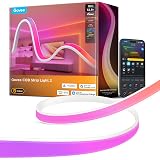
- Philips Hue Lights: Choose a variety to suit your space. Light strips work wonderfully behind TVs for a backlight effect. Play Bars or individual bulbs can illuminate side walls or ceilings. Gradient light strips offer smoother color transitions and multiple colors along a single strip.
- Philips Hue Sync Box: This is the crucial device for syncing your lights with your video content. It acts as an HDMI pass-through device, analyzing the incoming video signal from your media players.
Step-by-Step Installation:
- Install Your Lights: Place your chosen Philips Hue lights around your TV or within your viewing area. Position light strips behind the TV, and place Play Bars or bulbs on either side or above/below the screen for maximum effect.
- Set Up the Hue Bridge: Connect your Hue Bridge to your home router and power it on. Use the Philips Hue app to discover and connect your lights to the Bridge.
- Create an Entertainment Area: Within the Hue app, navigate to the “Entertainment areas” section. Here, you’ll precisely map the physical location of each light in relation to your TV screen. This step is critical for accurate color syncing, as the app needs to know where each light is positioned to project the correct colors.
- Connect the Hue Sync Box: Plug your media devices (Blu-ray player, streaming stick, gaming console, etc.) into the HDMI input ports on the Sync Box. Then, connect the Sync Box’s HDMI output to an HDMI input on your TV. Finally, plug in the Sync Box’s power adapter.
- Configure the Sync App: Use the dedicated Philips Hue Sync mobile app or the desktop app. It will guide you through connecting to your Sync Box and linking it to your Hue Bridge. Select your entertainment area and adjust sync intensity and brightness preferences.
Configuring Entertainment Areas for Optimal Sync
The placement and configuration of your lights within the Hue app’s entertainment area directly impact the quality of the sync experience. Lights positioned directly behind the TV will create an immediate halo effect. Lights placed further out on side walls can extend the ambiance into the entire room. Experiment with different setups and calibrate the light positions in the app meticulously. This fine-tuning ensures that the colors projected by your lights accurately correspond to the sections of the screen they are meant to represent.
Crafting the Perfect Atmosphere: Customizing Your Movie Nights
One of the greatest advantages of **Philips Hue home movie theater lighting** is the ability to tailor the ambiance to specific content. Different movie genres evoke different emotions, and your lighting can amplify these feelings.
Genre-Specific Lighting for Enhanced Immersion:
- Action & Sci-Fi: Opt for dynamic, fast-changing lights with cool blues, electric purples, and vibrant reds. The intensity can be set higher to match the high energy of these films.
- Horror & Thriller: Create a sense of dread with muted, eerie greens, deep, unsettling blues, or stark, flickering whites. Low intensity and slower transitions can build suspense effectively.
- Romance & Drama: Soft, warm tones like amber, rose, or gentle pastels work best. The lighting should be subtle and smooth, complementing the emotional depth without distracting.
- Comedy: Bright, inviting, and cheerful lighting with a mix of playful colors can enhance the lighthearted mood. Pastels and warmer whites are often ideal.
Beyond syncing, you can also create custom “scenes” in the Hue app for various activities. A “Movie Start” scene might dim the room lights and activate your sync setup. An “Intermission” scene could bring up a soft, warm glow, while “Credits” might transition to a relaxing, low-light setting. This level of customization allows for a truly personalized home cinema experience every time.
Optimizing for Visual Comfort and Reduced Eye Strain
Using ambient lighting like Philips Hue around your TV is not just for immersion; it significantly contributes to visual comfort. By reducing the sharp contrast between a bright screen and a dark room, eye fatigue is minimized, allowing you to enjoy longer viewing sessions without discomfort. The ideal setup avoids direct glare on the screen and uses indirect light to gently illuminate the surrounding area. Adjusting the brightness levels of your Hue lights to a comfortable intensity, complementing rather than overpowering the screen, is key.
Troubleshooting and Advanced Tips for Your Philips Hue Movie Setup
While the setup process is generally smooth, occasional issues can arise. Knowing how to troubleshoot and implement advanced tips can further enhance your **Philips Hue movie lighting** experience.
Common Troubleshooting Scenarios:
- Latency or Lag: Ensure all HDMI cables are high-quality (HDMI 2.0 or 2.1 for 4K content). Update the firmware on your Hue Bridge, Sync Box, and TV. Sometimes, restarting all devices (lights, Bridge, Sync Box, TV, media player) can resolve minor synchronization hiccups.
- Lights Not Syncing Correctly: Double-check your entertainment area configuration in the Hue app. Verify that each light is correctly placed on the virtual map. Ensure all lights are powered on and connected to the Bridge.
- Inaccurate Colors: Calibrate your TV’s picture settings (color, brightness, contrast) first. Then, adjust the “intensity” and “brightness” sliders in the Hue Sync app. Sometimes, a lower intensity setting provides a more natural and less overwhelming color match.
Advanced Integration and Customization:
- Voice Assistant Integration: Link your Philips Hue system with Amazon Alexa, Google Assistant, or Apple HomeKit. This allows you to control your lights with voice commands, making it incredibly convenient to start or adjust your movie lighting. “Alexa, start movie scene” can instantly set the mood.
- Third-Party Apps: Explore third-party apps that offer extended control or unique effects. Some apps provide advanced light show capabilities or more granular control over individual lights.
- Expanding Your Ecosystem: Consider adding more Philips Hue products. Gradient light strips, for instance, offer multiple colors simultaneously along their length, creating even smoother and more nuanced gradients behind your TV. Smart switches or motion sensors can automate lighting changes even further.
Beyond Movies: Expanding Your Smart Lighting Entertainment
The versatility of Philips Hue extends far beyond just enhancing your movie nights. Once your entertainment area is set up, you unlock a world of possibilities for other forms of media.
For gamers, Philips Hue offers a truly hyper-immersive experience. Lights can react dynamically to in-game actions, explosions, and environments, making you feel more connected to the virtual world. Imagine your room pulsating red when taking damage, or casting a cool blue glow as you explore an icy landscape. Many modern games offer direct integration with Philips Hue, providing even richer, game-specific lighting effects.
Music lovers can also transform their listening experience. Various apps can translate audio signals into dynamic light shows, creating a visual symphony that dances to the beat and rhythm of your favorite tracks. This turns any room into a vibrant, personal concert space, perfect for parties or simply elevating your daily listening.
Ultimately, investing in **Philips Hue home movie theater lighting** is about more than just smart bulbs; it’s about crafting an environment that responds to your desires, elevating every moment of entertainment into a more engaging and memorable experience. Experiment with settings, explore different light placements, and discover how this smart lighting system can truly transform your home.
Unleash Your Questions: Philips Hue Home Movie Theater Lighting Q&A
What is Philips Hue home movie theater lighting?
It’s a smart lighting system that changes the colors and brightness of your room’s lights to match what’s happening on your TV screen, creating a more immersive movie experience.
What does “dynamic lighting” mean for movies?
Dynamic lighting allows your Philips Hue lights to react in real-time to the colors and actions on your screen. This extends the visual experience beyond your TV and into your room.
What key items do I need to set up Philips Hue movie lighting?
You’ll need Philips Hue lights (bulbs or strips), a Philips Hue Bridge to control them, and a Philips Hue Sync Box to connect your media players to your TV.
How does Philips Hue connect to my TV to sync the lights?
You connect your media devices (like a streaming stick or Blu-ray player) to the Philips Hue Sync Box, which then connects to your TV. The Sync Box analyzes the video and tells your lights what to do.