Navigating the world of smart home technology can often feel like a maze, especially when it comes to seemingly simple devices like smart plugs. Many aspiring smart home enthusiasts find themselves overwhelmed by the sheer number of options, hidden compatibility issues, and the fear of making a costly mistake. If you’ve ever wondered which smart plug is truly right for your needs, or if your devices will even work with one, rest assured you’re not alone. The accompanying video offers a fantastic primer, but we’ll dive even deeper here, providing comprehensive insights to help you choose the best smart plugs for your home without wasting time or money.
Understanding Smart Plugs: Beyond the Basics
Before you even consider brands or fancy features, a fundamental question must be addressed: will your existing devices seamlessly integrate with smart plugs? Not all appliances or lamps are created equal, and their internal mechanisms dictate their compatibility with these smart devices. Furthermore, the power requirements of your chosen appliance are crucial, as smart plugs come with varying amperage ratings that directly impact safety and functionality.
Device Compatibility: Mechanical vs. Electronic Switches
One of the most frequently overlooked aspects when selecting a smart plug is the type of switch on your device. To illustrate, imagine you have two lamps. One features a simple, mechanical toggle switch—you push it, it clicks on; push it again, it clicks off. This type of device is generally ideal for smart plugs. When power is cut (by the smart plug turning off) and then restored, the lamp will return to its last known state, which is usually “on” if it was on before the power interruption. Consequently, the smart plug can reliably control its on/off function.
Conversely, consider a lamp with a capacitive touch switch or a built-in dimmer that requires multiple presses to cycle through brightness levels. Such an electronically switched device often loses its “on” state when power is interrupted. If you unplug it while it’s on and then plug it back in, it might remain off. This behavior renders it incompatible with smart plugs, as the plug can only cut or restore power, not “press” the electronic switch. Therefore, to check your device’s compatibility, simply turn it on, unplug it for a few seconds, then plug it back in. If it powers back on, it’s a perfect match for a smart plug.
Power Ratings: Matching Plugs to Appliances
Another critical, yet often underestimated, factor is the power rating of the smart plug itself. While many popular uses for smart plugs involve low-power devices like lamps or coffee makers, other applications demand a higher capacity. Connecting a high-draw appliance to an inadequately rated smart plug can lead to overheating, device failure, and potentially, a fire hazard. Therefore, always check the amperage rating of any smart plug you consider.
For instance, standard household circuits in the US are typically rated at 15 amps at 100-120V. Many smart plugs, such as the Kasa Mini, are also rated for 15 amps, providing broad compatibility. However, some popular options, like certain Govee plugs, might only support 10 amps. This distinction is vital; attempting to run an 11 or 12-amp device through a 10-amp plug is highly dangerous.
Furthermore, some plugs, like the BN-Link, specify ratings for “resistive” (15 amps) and “tungsten” (10 amps) loads. Resistive loads, such as heaters, maintain a constant current draw. Tungsten refers to incandescent light bulbs, which experience a high initial current draw (inrush current) when first turned on before settling to a steady state. While modern LED lighting drastically reduces this concern, for older bulbs or specific high-draw appliances like shop-vacs or hair dryers, matching the plug’s rating to the device’s peak draw is paramount to prevent overloading.
Form Factor and Receptacle Considerations
The physical design of smart plugs, often referred to as their form factor, can significantly impact their usability. Smart plugs come in various shapes and sizes—some are round, others rectangular. The size and shape determine whether the plug will obstruct adjacent outlets or allow you to use both receptacles on a standard wall outlet.
Imagine purchasing two smart plugs only to find that their bulky design prevents you from using them side-by-side in a single dual-outlet. This common frustration can be avoided by observing the plug’s design. Mini rectangular plugs, such as the TP-Link Kasa Mini, are generally designed to be compact, allowing two to fit comfortably in a standard duplex outlet. Other rectangular designs, like some BN-Link models, are often offset to one side, which usually leaves the second outlet clear for a standard grounded plug. Conversely, many round smart plugs are notorious for blocking the adjacent outlet, making it difficult to plug in anything larger than a two-prong cord. Should you wish to maximize outlet usage, a dual smart plug, like specific Govee models that convert one outlet into two individually controllable smart plugs, could be an excellent solution.
Levels of Control: From Simple Remotes to Full Automation
The desired level of control is a primary factor in selecting smart plugs. Your needs might range from simple on/off functionality to complex scheduling and voice-activated routines. Several options exist, each offering distinct advantages.
Basic Remote Switches and Timers
For the most straightforward control, remote switches and mechanical or digital timers offer plug-and-play simplicity. Devices like the Dewenwils remote switch provide immediate, localized control via a small handheld remote, often rated for 15 amps, making them suitable for high-draw items like shop-vacs. Similarly, the Zoiinet remote switch even features a wall-mountable remote, effectively creating a wireless switched outlet without any electrical wiring. These are excellent, low-tech solutions for specific, isolated needs.
Traditional mechanical timers, often dubbed the “original smart plug,” rely on physical pins to set on/off schedules in 30-minute increments. Digital timers offer more granular control, down to the minute, though some may lack grounded plugs or multiple scheduling options. These devices operate independently, using internal relays rather than Wi-Fi, which simplifies setup but limits advanced features.
Wi-Fi Smart Plugs and Home Assistants
For comprehensive control, scheduling, and integration into your smart home ecosystem, Wi-Fi-enabled smart plugs are essential. These devices connect to your home network, allowing control via a manufacturer’s app or, more powerfully, through a home assistant platform like Google Home, Amazon Alexa, or Apple HomeKit.
These Wi-Fi smart plugs unlock a world of possibilities: * **Remote On/Off Control:** Operate devices from anywhere via your smartphone. * **Countdown Timers:** Automatically turn off a device after a set duration. * **Schedules:** Program specific on/off times daily or weekly. * **Automations:** Trigger actions based on various conditions (e.g., “turn on porch light at sunset,” “turn off all lights when I leave home”).
While manufacturer apps offer basic automation, integrating your smart plugs with a central home assistant provides vastly more options and interoperability with other smart devices. Imagine creating a “Party Time” routine that simultaneously dims your smart lights, turns on a specific lamp, and plays music through your smart speaker, all with a single voice command. This level of coordinated automation is best achieved through a robust home assistant platform.
Seamless Setup and Network Connectivity
The ease of setting up smart plugs varies considerably. Simple remote switches and timers are inherently “plug and play,” requiring minimal, if any, configuration. Network-connected smart plugs, however, demand a more involved setup process.
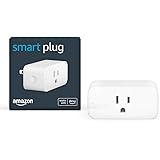
The experience often begins by downloading the manufacturer’s dedicated app (e.g., Govee Home, Kasa Smart, BN-Link Smart). This app guides you through connecting the smart plug to your home Wi-Fi network. While many plugs support both 2.4GHz and 5GHz Wi-Fi bands, most smart home devices, including smart plugs, primarily utilize the 2.4GHz band due to its longer range and better penetration through walls. A common setup challenge arises when your phone is connected to a 5GHz network, requiring you to temporarily switch your phone to the 2.4GHz network during the initial pairing process for some devices like the Kasa and Govee plugs. The Amazon Basics smart plugs, however, simplify this significantly by integrating directly into the Alexa app via a QR code scan, often bypassing the need for a separate manufacturer app and simplifying the process for Amazon ecosystem users.
Home Assistant Compatibility and the Rise of Matter
A crucial consideration for any smart home enthusiast is ensuring that new smart plugs integrate seamlessly with their chosen home assistant platform. The major players—Google Home, Amazon Alexa, and Apple HomeKit—do not always communicate natively with every device. Most smart plugs are compatible with Google Home and Amazon Alexa, but Apple HomeKit often requires specific certification and can be less broadly supported, leading to typically higher prices for compatible products. Therefore, always look for compatibility labels on the product packaging or in the product description.
Notably, Amazon Basics smart plugs, while incredibly easy to set up within the Alexa ecosystem, are typically not compatible with Google Home. This highlights the importance of choosing devices that align with your primary home assistant to avoid creating a fragmented smart home. Although bridges and third-party hubs can sometimes bridge compatibility gaps, native connections offer the most streamlined experience.
The Promise of Matter
A significant development aiming to simplify this landscape is Matter, an IP-based protocol introduced in 2019. Matter is designed to bring greater interoperability, allowing smart devices from different manufacturers to communicate effortlessly across various home assistant platforms (Amazon, Google, Apple, etc.). This “Dalai Lama” of smart home technology promises better security and a more unified user experience, reducing the headache of compatibility matrixes. While full adoption requires hardware and software updates across the industry, keeping an eye out for Matter-compatible smart plugs can future-proof your smart home setup, offering greater flexibility and longevity for your investments.Security: Protecting Your Smart Home
Security is a frequently discussed and valid concern when integrating smart plugs into your home network. The worry extends beyond someone merely turning on your coffee pot unexpectedly; malicious actors can potentially exploit vulnerable smart devices. Imagine thousands of compromised smart plugs around the world, silently participating in Distributed Denial of Service (DDoS) attacks, overwhelming target websites by flooding them with traffic. This scenario, while seemingly far-fetched, underscores the real risks associated with insecure smart devices.
To mitigate these risks, several best practices are highly recommended:
-
Purchase from Reputable Brands: Stick to established companies known for their security standards and ongoing support, such as TP-Link Kasa, Govee, or Amazon Basics. Avoid obscure brands with few reviews, especially if the deal seems too good to be true. Reputable brands are more likely to issue security updates and offer reliable customer service.
-
Change Default Passwords: If a smart plug or its associated app uses a default password (e.g., “admin,” “12345”), change it immediately to a strong, unique password. Default credentials are well-known to hackers and represent a significant vulnerability.
-
Isolate Smart Devices on a Separate Network: For enhanced security, consider creating a separate Wi-Fi network (often called a “guest” or “IoT” network) specifically for your smart devices. This isolates them from your primary network, which houses sensitive data on computers, security systems, or banking apps. Even if a smart plug on this isolated network is compromised, the breach would not extend to your most critical home systems.
-
Regularly Update Firmware: Keep your smart plugs and their corresponding apps updated. Manufacturers frequently release firmware updates that address security vulnerabilities and improve performance.
Energy Monitoring: Tracking Your Consumption
For those interested in optimizing energy usage and understanding appliance costs, specific smart plugs offer energy monitoring capabilities. Many basic smart plugs do not include this feature, so it’s essential to look for “energy monitoring” explicitly stated in the product description. The BN-Link smart plug, for example, is a popular choice known for its energy tracking feature and competitive price point.
Imagine being able to see in real-time how much power your “Mr. Smarty Pants” lamp (perhaps consuming 78 milliamps or 0.07 amps for an LED bulb) is drawing, or monitoring the total kilowatt-hours used over weeks or months. With an average electricity cost of, say, 11 cents per kilowatt-hour, this data allows you to calculate the exact running cost of any plugged-in device. This can be particularly insightful for larger appliances like refrigerators, helping you identify energy hogs and make more informed decisions about usage or upgrades.
It is important to note that even within a brand, not all models offer this feature. For instance, basic Kasa or Govee plugs may not include energy monitoring; you might need to purchase a specific model designated for it.
Automations: Leveraging Home Assistant Power
The true magic of smart plugs often lies in their automation capabilities. Whether you want to turn lights on at sunset, trigger a device when a motion sensor detects movement, or simply ensure your coffee maker starts brewing at 6 AM, automations provide unparalleled convenience. While manufacturer apps do offer basic scheduling, for advanced and integrated automations, relying on your central home assistant (Google Home, Amazon Alexa, or Apple HomeKit) is far more effective.
By using your home assistant’s automation interface, you can:
-
Cross-Brand Integration: Control smart plugs from various manufacturers alongside other smart devices like lights, thermostats, or security cameras, all within a single ecosystem.
-
Advanced Triggers: Beyond simple time-based schedules, automations can be triggered by external factors such as weather conditions, sunrise/sunset, location (geofencing), or even integration with IFTTT (If This Then That) services.
-
Complex Routines: Create multi-step routines that involve several devices and actions. For example, a “Good Morning” routine could turn on your bedroom lamp, start the coffee maker, and play the news on a smart speaker.
Ditching the individual manufacturer apps for complex automations and embracing your home assistant provides a more powerful, flexible, and cohesive smart home experience.
Cost: Balancing Features and Budget
The cost of smart plugs can vary significantly based on brand, features, and whether they are purchased individually or in multi-packs. Prices typically range from around $6 to $13 per plug, with multi-packs often offering a lower per-plug cost. For instance, a 4-pack of BN-Link smart plugs, known for energy monitoring, might cost around $20, bringing the per-plug cost down to a mere $5.
Consider the Dewenwils remote control plug at around $12. While not a “smart” Wi-Fi plug, its 15-amp rating and remote functionality make it an excellent, simple solution for shop tools or even controlling a child’s gaming console or router. In the realm of Wi-Fi smart plugs, options like the Govee dual smart plug, at approximately $10, effectively provide two smart outlets for $5 each, albeit often without Matter compatibility or energy monitoring. Kasa offers mini plugs for as little as $7, or more advanced, Matter-enabled versions with energy monitoring for about $12. The Amazon Basics smart plugs, while not always available in multi-packs and priced around $12-$13 each, offer unparalleled ease of setup for dedicated Amazon Alexa users.
Ultimately, the “best” smart plug is the one that aligns with your specific needs, budget, and desired level of smart home integration. By carefully considering device compatibility, power ratings, form factor, control options, setup complexity, home assistant integration, security, and energy monitoring capabilities, you can confidently select the smart plugs that will truly enhance your smart home experience.
Don’t Get Zapped: Your Smart Plug Questions Answered
What is a smart plug?
A smart plug is a device you plug into a wall outlet that allows you to control any connected appliance remotely using an app, voice commands, or automated schedules.
How can I tell if my device will work with a smart plug?
To check compatibility, turn your device on, unplug it for a few seconds, then plug it back in. If it automatically powers back on, it should work well with a smart plug.
Why are power ratings important when choosing a smart plug?
Power ratings, typically measured in amps, are crucial because connecting a high-power device to an inadequately rated smart plug can lead to overheating and potential fire hazards. Always match the plug’s rating to your appliance’s power requirements.
Can I control smart plugs with voice assistants like Alexa or Google Home?
Yes, most Wi-Fi smart plugs are designed to integrate with popular home assistant platforms like Amazon Alexa and Google Home, allowing you to control them with voice commands and set up automated routines.
Can smart plugs help me track energy usage?
Some smart plugs offer energy monitoring capabilities, allowing you to see how much power a connected device is drawing and calculate its running cost. This feature is not on all models, so look for it in the product description if interested.